Tips for making and effective PowerPoint.
1. Write a Script
- Give your slide a beginning, middle and end. make it interesting and always leave the audience wanting more.
2. One Thing at a Time
- What is on the screen should be the thing you are talking about.
3. No Paragraphs
- To much on the screen can be very boring and cause audience to lose interest.
4. Pay Attention to design
- Avoid dressing up your slides with cheesy effects and focus instead on simple design.
5. Use images Sparingly
- To many images can be an unnecessary distraction.
6. Think outside the Screen
- Remember the slides on the screen are only part of the presentation.
7. Have a Hook
- Get your audience interested at the beginning of your presentation with an interesting fact or story.
8. Ask Questions
- Questions arouse interests in audiences
9. Modulate
- Speak as if you are speaking to a friend
10. Break the Rules
- Do what ever you want to keep your presentation lively and interesting for your audience.
info given here
Tuesday, 13 May 2014

Computer Viruses
1. a) Worm: A worm is a program that makes copies of itself so it can spread throughout your computer.
b) Trojan horse: A program that contains a hidden function which causes it to appear to perform a valid function while it causes damage to other programs.
c) Spyware: A spyware is a software that can be downloaded on a computer without the users knowledge and collect personal data on them and their internet use while connected to the internet.
d) Rogue Security Software: A program that tricks users to spend money on it by saying it gets rid of Malware but instead of getting rid of the Malware it introduces it to the computer.
info for question one here
2. There are many ways viruses spread through your computer.
- Accepting without reading.
- Opening e-mail attachments
- Not running the latest updates
- Pirating software, movies, and music
- No antivirus spyware scanner
- Downloading infected software
info for question two here
3. Ways to tell if you have a computer virus.
- Your computer is running very slowly
- You are receiving unsuspecting messages/ programs are starting automatically
- Your modern hard disk is working overtime
info for question three here
4. Avoid getting viruses by.
- Don't click on everything
- Beware of misleading popups
- Clear your cache
- Consider a different browser
- Don't go where your not supposed to
info for question four here
5. An e-mail virus is a computer code sent as an e-mail. When activated it can do harmful damage such as destroying certain files on your hard disk and causing the attachment to be remailed to everyone in your address book.
Info for question five here
6. Bad people like criminals create computer viruses. The reason they make these viruses is to steal money from hard working decent people.
info for question six here
7. types of software programs that protect against viruses
- Barracuda Spam Firewall
- Stop Zilla
- Symantec Endpoint Protection
b) Trojan horse: A program that contains a hidden function which causes it to appear to perform a valid function while it causes damage to other programs.
c) Spyware: A spyware is a software that can be downloaded on a computer without the users knowledge and collect personal data on them and their internet use while connected to the internet.
d) Rogue Security Software: A program that tricks users to spend money on it by saying it gets rid of Malware but instead of getting rid of the Malware it introduces it to the computer.
info for question one here
2. There are many ways viruses spread through your computer.
- Accepting without reading.
- Opening e-mail attachments
- Not running the latest updates
- Pirating software, movies, and music
- No antivirus spyware scanner
- Downloading infected software
info for question two here
3. Ways to tell if you have a computer virus.
- Your computer is running very slowly
- You are receiving unsuspecting messages/ programs are starting automatically
- Your modern hard disk is working overtime
info for question three here
4. Avoid getting viruses by.
- Don't click on everything
- Beware of misleading popups
- Clear your cache
- Consider a different browser
- Don't go where your not supposed to
info for question four here
5. An e-mail virus is a computer code sent as an e-mail. When activated it can do harmful damage such as destroying certain files on your hard disk and causing the attachment to be remailed to everyone in your address book.
Info for question five here
6. Bad people like criminals create computer viruses. The reason they make these viruses is to steal money from hard working decent people.
info for question six here
7. types of software programs that protect against viruses
- Barracuda Spam Firewall
- Stop Zilla
- Symantec Endpoint Protection
Monday, 5 May 2014
Howdy ladies and gents! Today I am going to show y'all my beautiful picture I edited ALL BY MYSELF!! That's right and you can do it too, just long onto Ribbet and create yourself an account, don't worry it is completely free and easy to operate, from here I clicked edit photo and then uploaded a pic right off my facebook account. From here I went to make up options, given to you on your Ribbet account, and used the air brush and eye color options given. Now you can play around with all the options on this account everything is different and really easy to use. after that I played around a little more and then finally saved my picture to the computer. Okay guys can't wait to see what y'all come up with, have fun and edit some pics.

Hey everyone!!! today is collage building. It's easy, it's fun, and best of all it's Free! Today I am going to tell you all about my collage and the steps I took to make this piece of art. Okay first of all I looked up Ribbet, this is a free editing site that's super easy to operate, and created myself an account. Next I clicked the collage button and got to work. From here I downloaded pictures from my personal Facebook account and added them to my collage. This site is awesome because it offers so many options when making collages, so just play around till you find a design you like. After that was accomplished I was pretty much good to go. See what I tell ya super easy and super doable.

Monday, 14 April 2014
Howdy everyone! Today I am going to be sharing with you all the process of getting Use Cubes step by step. Use Cubes is a simple app to get first one must simple open their Google chrome window, next click the app button on your screen, after this using the search bar search Use Cubes. The use cubes app will appear and the best part about it is it is FREE!!!! However if one is to lazy simple click here and it will take you right where you need to go. Using this program has been tons of fun for me, I have developed many block building skills and also built a Use Cubes of my own which you can check out here!!
Wednesday, 19 March 2014
CC or BCC
Definitions:
- BCC: A Bcc (blind carbon copy; also BCC) is a copy of an email message sent to a recipient whose email address does not appear in the message.
- CC: CC stands for Carbon Copy-if you type an email address in that line, that person will receive a copy of the email you are sending.
Differences:
- The difference between Cc and Bcc is that carbon copy (CC) recipients are visible to all other recipients whereas those who are BCCed are not visible to anyone.
- CC: field recipients are others whom the author wishes to publicly inform of the message (carbon copy)
- BCC: field recipients are those being discreetly or surreptitiously informed of the communication and cannot be seen by any of the other addressees.
Tuesday, 18 March 2014
What is internet plagiarism?
- The definition of internet plagiarism is when a person closely mimics or copies another persons works without giving credit to the author.
Who does Plagiarism hurt? - Mostly plagiarizing hurts yourself by not allowing you to learn and become creative for yourself. Also it hurts the author of the work plagiarized because their work is being stolen and not recognized.
Why is Plagiarism a problem? - Plagiarism is a problem for editors that require delicate handling. It is also a problem because so many youth do it and are uneducated about the consequences that come with plagiarizing.
this video is from youtube
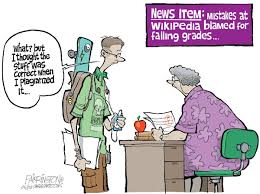
this pic is from google images
Who does Plagiarism hurt? - Mostly plagiarizing hurts yourself by not allowing you to learn and become creative for yourself. Also it hurts the author of the work plagiarized because their work is being stolen and not recognized.
Why is Plagiarism a problem? - Plagiarism is a problem for editors that require delicate handling. It is also a problem because so many youth do it and are uneducated about the consequences that come with plagiarizing.
this video is from youtube
this pic is from google images
Tuesday, 4 March 2014
The second I heard we were learning things on Microsoft the only thing I thought was " this is going to be a challenge."
Well now that I have started the program I basically proved myself right. Microsoft Word has , in the two weeks I have been on it, made me want to cry, tortured me for endless hours, and last of all turned my eyes and brain to nothing more than mush.
The biggest challenge I will face while doing Microsoft Word program is going to be patience. I am one person who has very little patience, so two hours a week on a computer will definitely do damage. Other challenges I will face are things such as: printing, spacing, coloring, learning about my keyboard, and the learning about all the options Microsoft offers.
Tuesday, 25 February 2014


STAY SHARP
Internet safety is not overrated!!!!
Do you have a family? young children who are constantly on facebook, chat rooms, youtube, and other internet sites? Well if you do you are probably wondering what are the best ways to keep these people safe.
A few ways to practice safe internet usage are.
- Never give out any personal information such as your name, age, address, name of your school, credit card info, or name of your parents.
- Never meet in person, you never know if people you meet on the internet are who they say. Meeting these people may result in sexual assault or even DEATH!!
- Use Gender neutral user names, in doing this there is less of a risk of people sending you pornographic photos.

A short clip on how to keep your family internet safe
Tuesday, 11 February 2014
Elsie Blackmore
February 11, 2013
Bloggers
Growing up in a sheltered society where computers and the global internet word were never mentioned or used it was no wonder I had nothing to do with bloggers or the blogging world. But as time changed computer smarts became as important as being able to write ones own name. So here I am sixteen years old staring blankly at a white screen asking myself a series of questions; What is a blog? Why do people blog? Who writes blogs? and what do people blog about?
What is a Blog?
A blog is a type of website that is updated regularly with new content. Most blogs contain short, informal articles called blog posts. These posts usually contain some combination of text, photos, videos, and other media. At its core, a blog is just a space on the web that you can create to record and express your opinions, experiences, and interests.
Who Blogs?
Blogs are written by people of all ages and backgrounds, from all walks of life.
Why do people Blog?
To share my experiences and expertise
To speak up about an issue I care about
To become more involved with my hobbies and passions
To be part of a community
To advance my career or start a career in writing
To keep my family and friends updated about my life
What do people Blog about?
A blog can be about literally anything. There are people blogging about every topic imaginable, from their political views to their pets.
Points came from http://www.gcflearnfree.org/blogbasics/1.4
February 11, 2013
Bloggers
Growing up in a sheltered society where computers and the global internet word were never mentioned or used it was no wonder I had nothing to do with bloggers or the blogging world. But as time changed computer smarts became as important as being able to write ones own name. So here I am sixteen years old staring blankly at a white screen asking myself a series of questions; What is a blog? Why do people blog? Who writes blogs? and what do people blog about?
What is a Blog?
A blog is a type of website that is updated regularly with new content. Most blogs contain short, informal articles called blog posts. These posts usually contain some combination of text, photos, videos, and other media. At its core, a blog is just a space on the web that you can create to record and express your opinions, experiences, and interests.
Who Blogs?
Blogs are written by people of all ages and backgrounds, from all walks of life.
Why do people Blog?
To share my experiences and expertise
What do people Blog about?
A blog can be about literally anything. There are people blogging about every topic imaginable, from their political views to their pets.
Points came from http://www.gcflearnfree.org/blogbasics/1.4
Tuesday, 28 January 2014
1. What do you use computers for?
- Personally I am not a big computer person, I use them only for school assignments, facebook, looking up pictures for drawing and painting, learning new things ( if I am really desperate) and shopping.
- I pretty much know nothing about computers. I would say I can run one about as good as cats can. Except for Youtube and Google I have nothing in common with them.
Subscribe to:
Posts (Atom)